Sericon
Sericon is a better serial terminal for Linux, built to remove some of the annoyances I had with other serial terminals. With Sericon, you can connect with one command and no flags, use arrow-key menus and searchable scrollback without a dedicated copy mode, work with an embedded Linux filesystem over serial, and automate repeated tasks with formulas.
sericon
With no arguments, Sericon looks for an attached UART adapter, starts at 115200 baud, and checks incoming text to identify the rate. Received and transmitted bytes are logged in the current directory by default.
Version 0.1.0 beta · Linux, including Raspberry Pi
Get started · Install · Beta scope · Source on GitHub
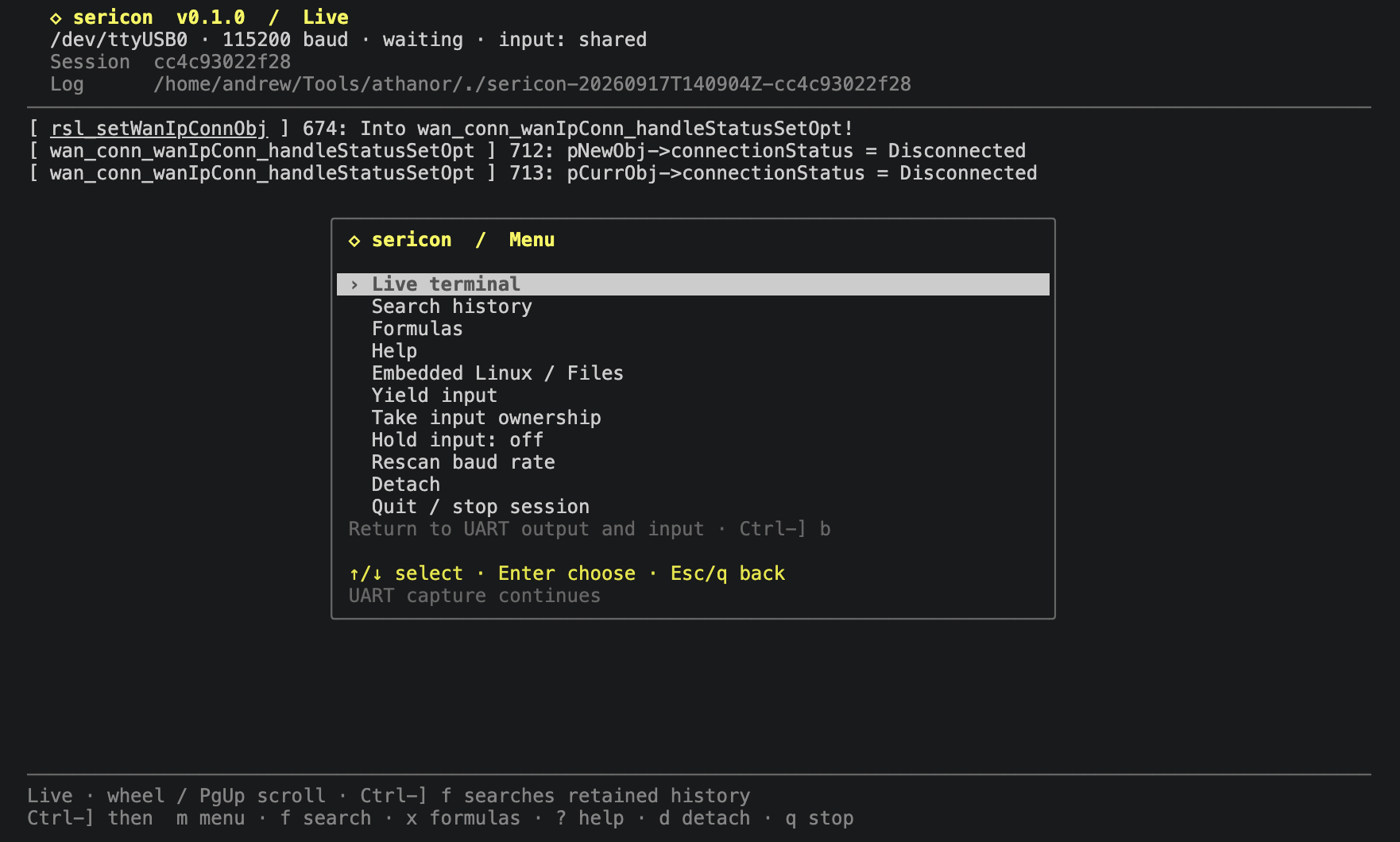
Select a screenshot to open it at full resolution.
Why Sericon
- Start without looking up a device path or typing a baud rate. Adapter preferences and passive baud detection handle connection setup, with flags available for explicit settings.
- Easy-to-use arrow-key menus with no need to memorize shortcuts.
- Scroll through output without a separate copy mode.
- Built-in search using literal strings or regex.
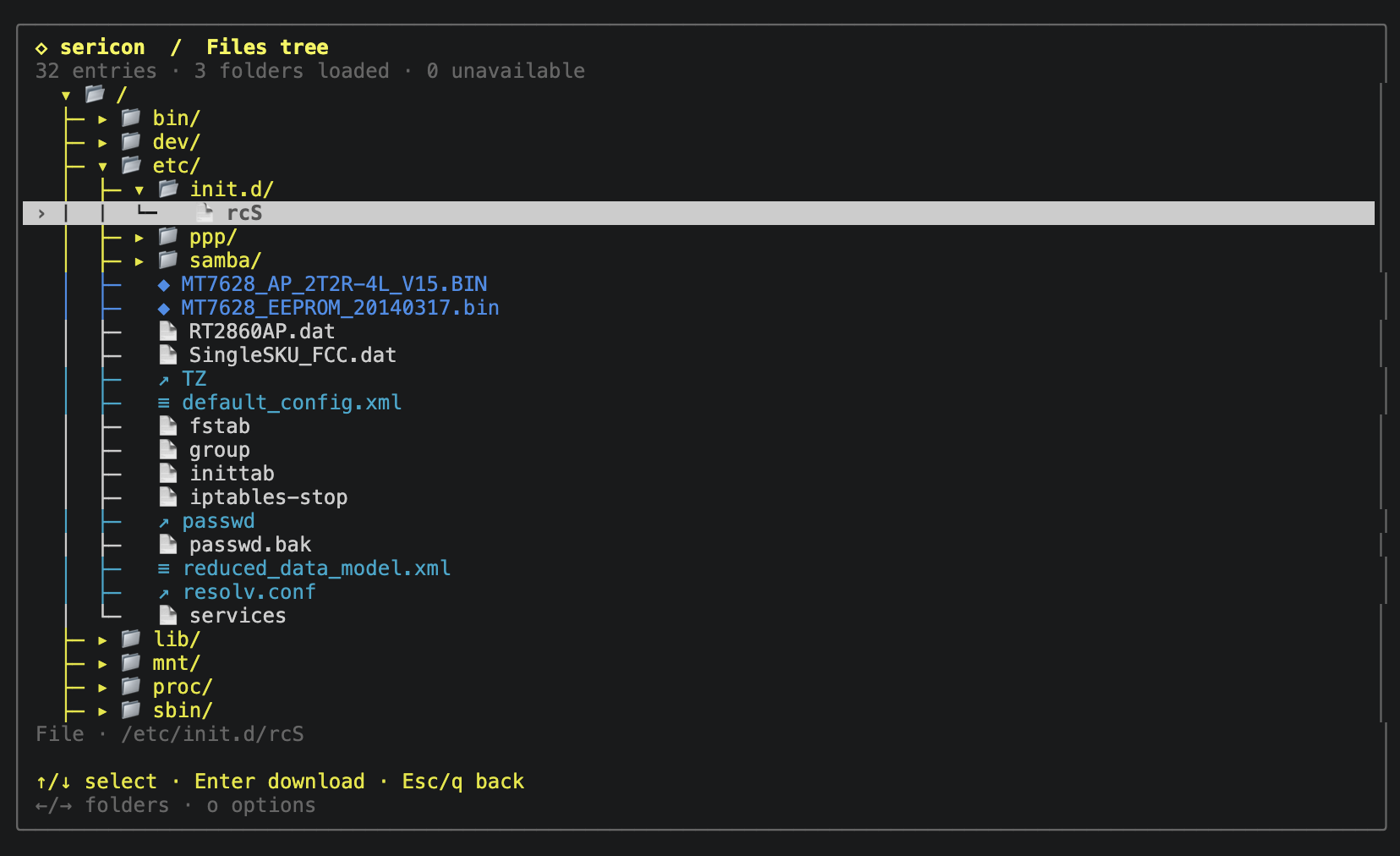
- Get files off an embedded Linux device through its serial shell. The optional helper adds a file tree, verified uploads and device inspection, all over the same serial connection.
- Turn repeated serial work into formulas: scan logs for endpoints or possible passwords, send commands, or wait for a boot prompt. Rhai runs inside Sericon, so formulas need no separate scripting runtime.
- Keep a record of both sides of the conversation. Logging starts by default and capture continues when the terminal detaches.
- Let scripts or an AI coding tool join the running session while the human terminal stays attached. The CLI and MCP share its history and coordinate input.
Sericon runs independently of Athanor (which is coming soon). No AI provider, model key, Python runtime or network connection is required for the terminal. AI access is optional.
Choose a guide
Quick install for Linux in Bash or Zsh:
curl -fsSL https://sericon.xyz/install.sh | sh && export PATH="$HOME/.local/bin:$PATH"
Then run sericon. Installation explains architecture selection, checksum verification and PATH setup.
| Task | Guide |
|---|---|
| Install and connect to an adapter | Installation, get started |
| Navigate menus, scroll back or recover input | Terminal controls |
| Find text or regex matches in history | Search |
| Set adapter priorities, baud candidates or logging | Configuration |
| Detach, reconnect or work with capture files | Sessions and logging |
| Browse, download or upload DUT files | Embedded Linux Files |
| Install a helper on a stripped Linux image | Optional helper |
| Analyze history or automate UART interactions | Formulas, formula API |
| Connect Codex, Claude Code or another client | AI tools and MCP |
| Resolve connection, input or transfer issues | Troubleshooting |
| Integrate with a session broker | Local session API |
| Check platform coverage and beta limits | Beta scope and validation |
Files through the same UART
The optional helper supplies directory browsing, file reads, verified uploads and device inspection without a network connection or target-side interpreter. Folders load on demand; a scan can fill the cache below a selected root.
Source build and documentation instructions are in development. Sericon uses the MIT license; dependency notices are listed under third-party components.
Why the name Sericon?
Sericon is short for serial console, and it also fits the alchemy theme of Athanor and its tools. In English alchemy, sericon was a starting material, used in preparations for making an elixir.
UART is often where an IoT hacking engagement starts. A serial console can provide boot logs, a shell or access to a bootloader, giving us somewhere to begin investigating the device. That is the connection behind the name: a starting point for the work that follows, with formulas to automate repeated tasks along the way.