Search session history
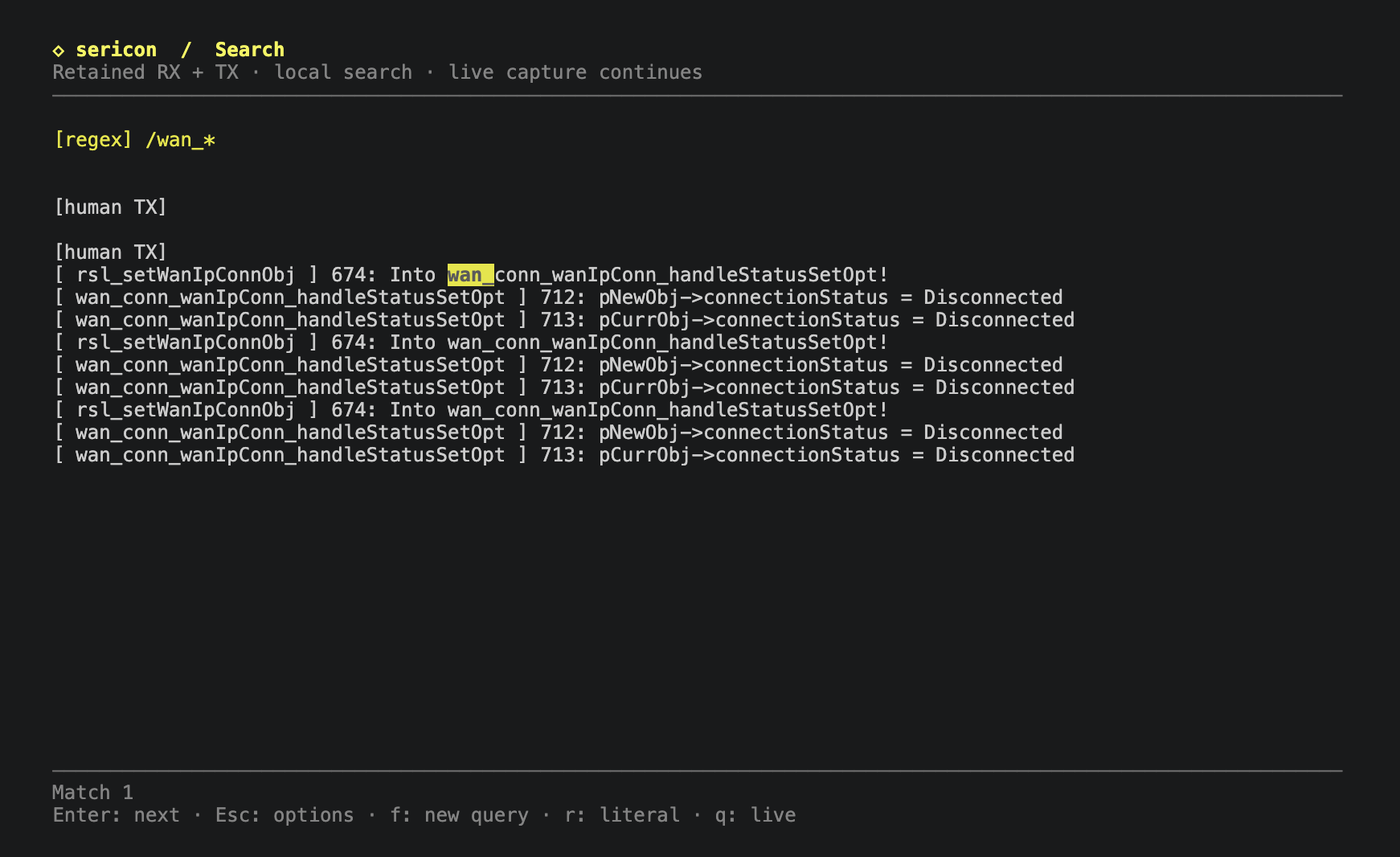
Search retained receive/transmit (RX/TX) history while UART capture continues. Open Ctrl-] f, type a query and press Enter. Enter advances through matches; q returns to live output.
Controls
| Context | Key | Action |
|---|---|---|
| Live terminal | Ctrl-] f | Open search |
| Query prompt | Enter | Submit the query |
| Query prompt | Tab | Switch literal/regex mode, preserving the query |
| Query prompt | Backspace / Ctrl-U | Edit / clear the query |
| Results or loading | q | Return to live output |
| Results | Enter | Next match; wrap after the last |
| Results or loading | f | Fresh query in the same mode |
| Results or loading | r / Tab | Switch mode and reopen the current query |
| Prompt or results | Ctrl-] ? | Show search help; Enter or q closes it |
| Prompt or results | Ctrl-] b | Return to live output |
Press Ctrl-] then f, type a word or phrase, and press Enter. Sericon jumps to the first occurrence in retained history and highlights it with surrounding context. Press Enter again for the next occurrence; after the last one, search wraps to the first. While viewing results, q quits search and returns to the live terminal; f opens a fresh search prompt, including more recent output. These keys also work while a submitted search is loading or when it finds no matches.
While typing a query, q and f are ordinary letters. Ctrl-] then b cancels
the prompt or returns from results, and Ctrl-] then f remains an alternative
way to open a new prompt. Quitting search leaves the UART session running.
Search defaults to case-sensitive literal text, including spaces, in received and transmitted data. Tab in the prompt switches between literal and regex mode while keeping your query. The mode is shown above the results. From results, r switches mode and reopens the current query for editing; press Enter to search again. A fresh query with f keeps the selected mode.
Regex examples:
| Pattern | Finds |
|---|---|
error\|warning |
Either word |
(?i)failed |
failed regardless of case |
timeout.*[0-9]+ |
A timeout message followed by digits |
^ERROR\b |
Lines starting with the word ERROR |
code=\d{3} |
A code with three digits |
Regex matching uses the built-in Rust regex syntax,
with no external command required. It searches one complete line at a time,
including lines split across UART reads; patterns do not span newlines.
Look-around and backreferences are unsupported. Invalid patterns leave the
prompt editable with an error message. Enter advances through nonoverlapping
regex matches; zero-width matches such as ^ appear as a highlighted ▏.
For bounded memory use, regex search reports an error on lines over 8 MiB;
literal search remains available for those streams.
Both modes ignore terminal colour/control sequences and join
text split across serial reads. Backspace edits the prompt; Ctrl-U clears it.
Search strings can contain up to 1,024 UTF-8 bytes. No search keystrokes are
sent to the device. Stop (Ctrl-] q) and detach (Ctrl-] d) also work in search.
Each submitted search uses a snapshot of the retained history. UART capture,
logging, and other clients continue while you browse; returning to live displays
output received meanwhile. Searching preserves any unfinished input reservation.
Logged sessions search older journal history too, using a private temporary
snapshot that is removed when the search closes. With --no-log, search stays
in memory and reports when earlier history is unavailable. Long searches can
be cancelled immediately with q (or Ctrl-] b).